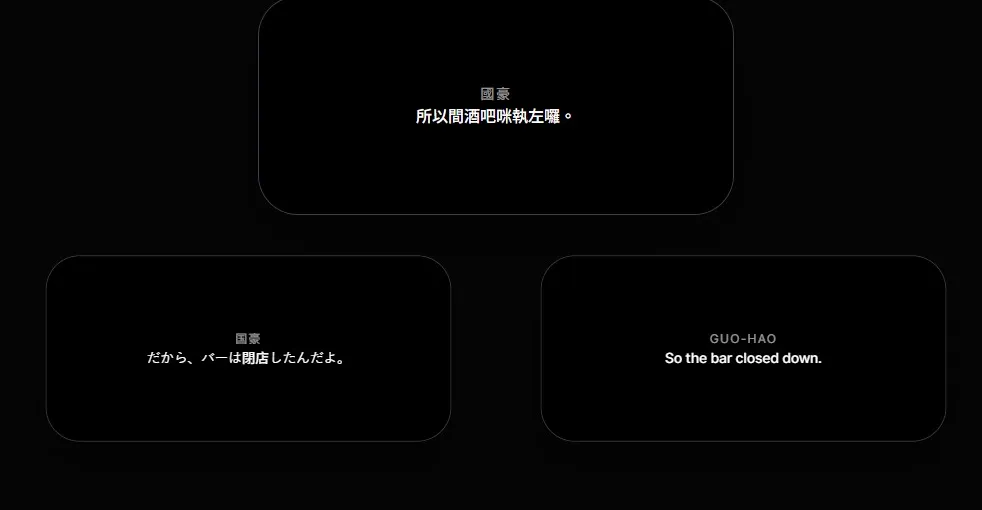
Theatre is Live. Why Are We Still Using Static Slides for Surtitles and Subtitles?
If you have ever worked in a theatre tech booth, you know the feeling.
The house lights go down. The play begins. You are sitting there in the shadows, your finger hovering over the Spacebar. You are running the theatre captioning software—or what often passes for it—for tonight’s performance.
Everything is going fine until your heart skips a beat. You hear the Stage Manager’s voice crackling in your headset: “The actor skipped to the end of the scene! Skip to line 150!”
The room freezes.
In front of you is a PowerPoint grid of identical-looking slides. You are locked into Slide 42, but the stage is already at Scene 4. You frantically click forward, flashing Slides 43 and 44 on the giant screen above the stage, breaking the audience’s immersion and distracting the actors.
This exact moment—the need for blackout control and fast recovery—is usually not a question of operator skill. Slide tools can work for simple, fixed cue lists, but live performance often needs recovery controls, cue navigation, and audience delivery options that sit outside a normal presentation workflow.
Subtitles and surtitles should follow the breath of the actor, not the limitations of 90s office software. That is why we built SurtitleLive.
The Slide Deck Bottleneck in Live Performance
PowerPoint and Keynote are fantastic for linear presentations. However, when we force digital surtitles and theater subtitles into a slide-based format, we encounter three major obstacles:
1. The Manual Formatting Bottleneck
Preparing opera subtitles (or supertitles) usually means spending hours copying lines from a Word doc, pasting them into individual slides, and manually tweaking font sizes. If the director changes a line mid-rehearsal, you are stuck editing slides one by one.
2. Linear Lock-in
Theatre isn’t always a straight line. If an actor skips a verse or a scene, jumping back and forth is clumsy in “Presentation Mode.” You often have to exit, scroll through a sea of thumbnails, and restart—all while the creative team waits.
3. Cluttered Accessibility
To maintain accessibility in performing arts, you might want to show multiple languages. In a slide deck, you are forced to jam both into one slide, cluttering the view, or set up expensive, complicated dual-projector systems.
The SurtitleLive Solution: A Better Cockpit
We designed SurtitleLive to treat your script as data, not just a stack of static images. We move away from “slides” and toward a professional, live-ready workflow.
1. From Script Import to an Editable Draft
Instead of manual formatting, SurtitleLive uses AI-powered ingestion to streamline your preparation. Think of our AI as your highly efficient technical intern; it’s not here to create your art, but to handle the hours of “Copy-Paste” work that every tech designer hates.
You upload your script, and SurtitleLive analyzes the structure to help identify character names and dialogue. This can reduce manual preparation time, while still leaving review and cleanup with the production team.
2. Reliable Non-Linear Navigation
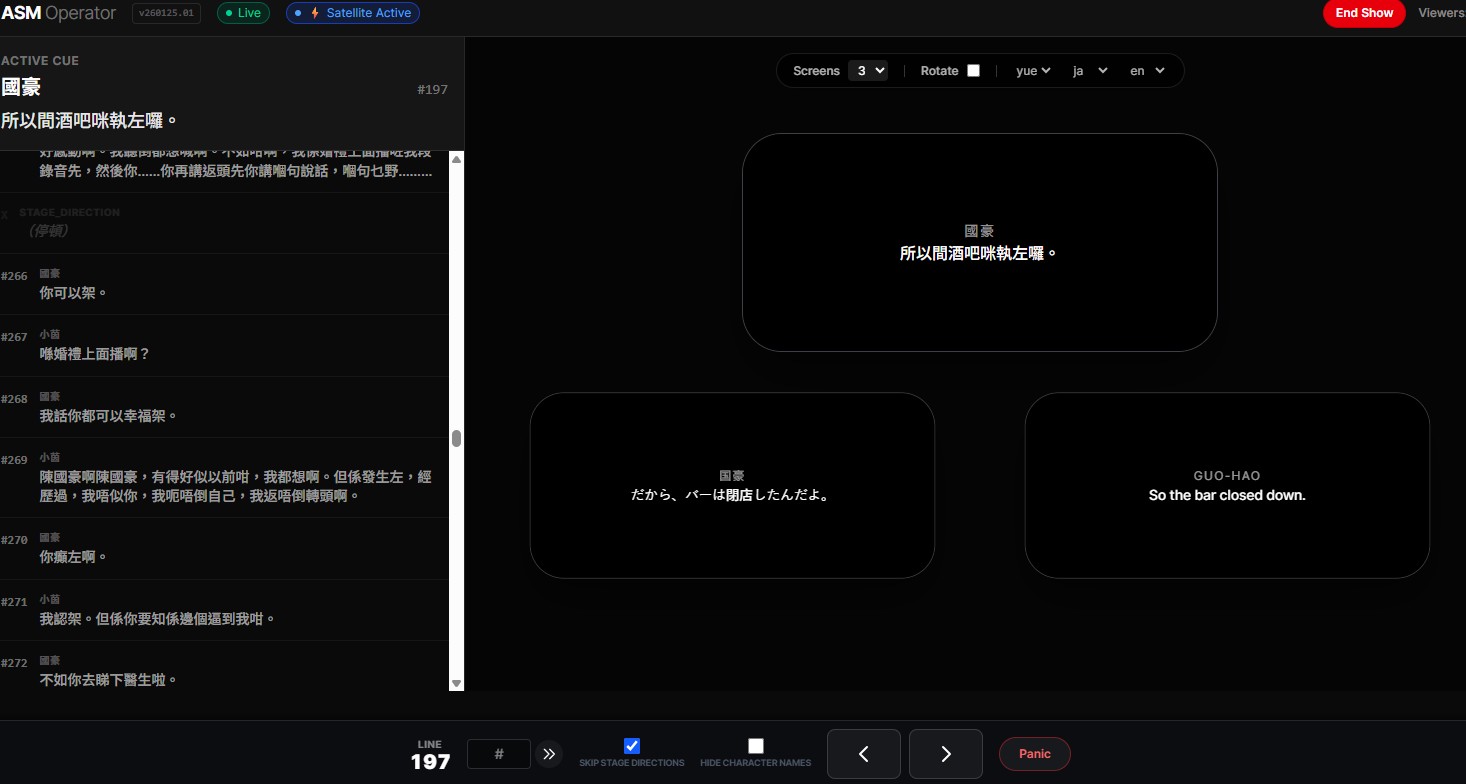
Because theatre is unpredictable, our interface—the SurtitleLive Cockpit—is built for precision. We don’t use a linear clicker logic.
- Jump to Any Line: If an actor skips a paragraph, you select the line they moved to in your script data. The viewer can update to the selected cue without flashing through skipped slides, subject to network conditions.
- Dark Mode Native: A UI designed specifically for the dark booth, ensuring your screen doesn’t glow and distract the front-of-house.
3. Bring Your Own Device (BYOD) for Multilingual Audiences
Why limit subtitles to a single projector? With our cloud-based architecture, you can broadcast pre-prepared titles directly to your audience’s smartphones.
- Pre-verified Translations: You can prepare multiple translation tracks in advance (assisted by AI and verified by your team).
- User Choice: Audience members scan a QR code and choose their preferred language from your pre-loaded tracks.
Evolve Your Theatre Tech Workflow
We believe that surtitling shouldn’t be a chore or a source of technical anxiety. It is the crucial bridge between the performance and the audience. By embracing a dynamic, cloud-based workflow, we give designers more creative freedom and operators more peace of mind.
We built SurtitleLive because we love the theatre, and we think the people behind the booth deserve better tools. If you’ve ever run surtitles from a dark booth with a headset on, this is for you.
Ready to evolve your workflow? Check out our Lite Tier—designed specifically for Fringe Festival runs—or start for free today.
Key Takeaways
- Traditional slide-based surtitling software like PowerPoint can be limiting for live theatre performances.
- SurtitleLive treats your script as data, enabling a more flexible and responsive surtitling workflow.
- AI-powered ingestion in SurtitleLive streamlines script preparation, reducing manual formatting time.
- SurtitleLive offers non-linear navigation, blackout control, and BYOD multilingual options for modern theatre.
Frequently Asked Questions
What are the limitations of using slide-based software for surtitling?
Slide-based software can be inflexible for live performances due to manual formatting, linear lock-in, and challenges in providing multilingual accessibility. This can lead to operator error and audience distraction.
How does SurtitleLive improve script preparation?
SurtitleLive uses AI-powered ingestion to analyze the script structure, identify character names and dialogue, and automate the initial formatting. This significantly reduces manual copy-pasting and editing.
What is non-linear navigation, and why is it important?
Non-linear navigation allows operators to jump to any line in the script instantly, crucial when actors skip lines or scenes. This prevents flashing through irrelevant slides and maintains audience immersion.
How does SurtitleLive support multilingual audiences?
SurtitleLive allows you to broadcast pre-prepared titles directly to audience smartphones. Audience members can scan a QR code and choose their preferred language from pre-loaded translation tracks.
Glossary of Terms
- Script: The written text of a play, including dialogue and stage directions.
- Cue: A specific point in the script where a surtitle should appear or change.
- Character: A dramatic role or person represented in a play.
- Blackout Control: The ability to quickly hide or remove surtitles from the display, often used to avoid displaying incorrect information during errors.
- Surtitle: Translated or transcribed text projected above a stage, providing audience members with real-time understanding of the dialogue.