
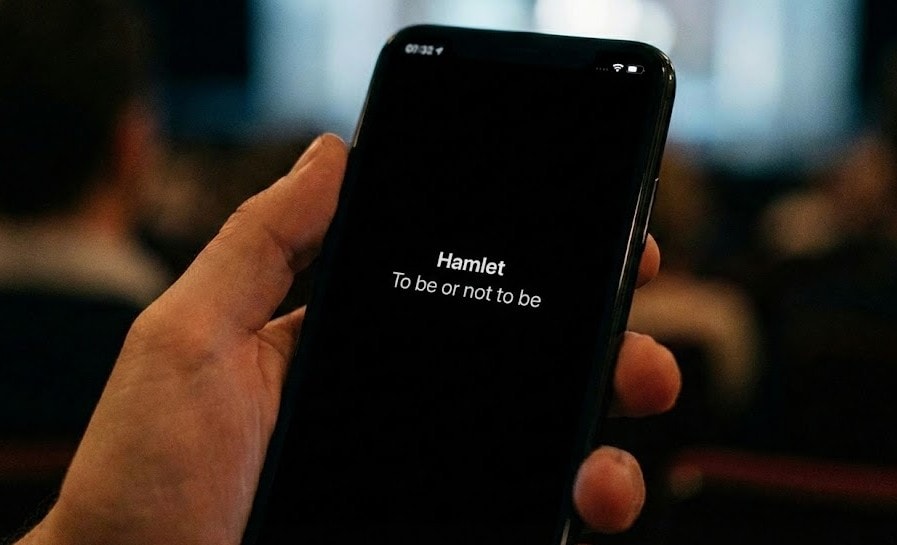
Theatre and Opera Subtitle SoftwareProjection + Mobile Surtitles
from One Cockpit.
Prepare scripts, cue live surtitles, and deliver projection plus audience-phone subtitles from a browser-based Operator Cockpit. Try the live simulator below to see cueing and audience updates.
* Interactive demo: press to advance cues. Observe the Audience View update with low latency.
Bring Your Own Subtitle | SurtitleLive
One Workflow, From Script to Show Night
SurtitleLive supports the live surtitling process from script preparation to projection output and cloud-delivered audience-phone subtitles.
Ingest & Analyze
Upload a Word doc. SurtitleLive helps structure characters, dialogue, and formatting into cue-ready subtitles.
Translate & Adapt
Create draft translations across 100+ supported languages, then review wording and line breaks before rehearsal or showtime. Live viewer languages still depend on your plan.
Run Projection + Mobile
Cue projection screens and audience-phone subtitles from the same Operator Cockpit.
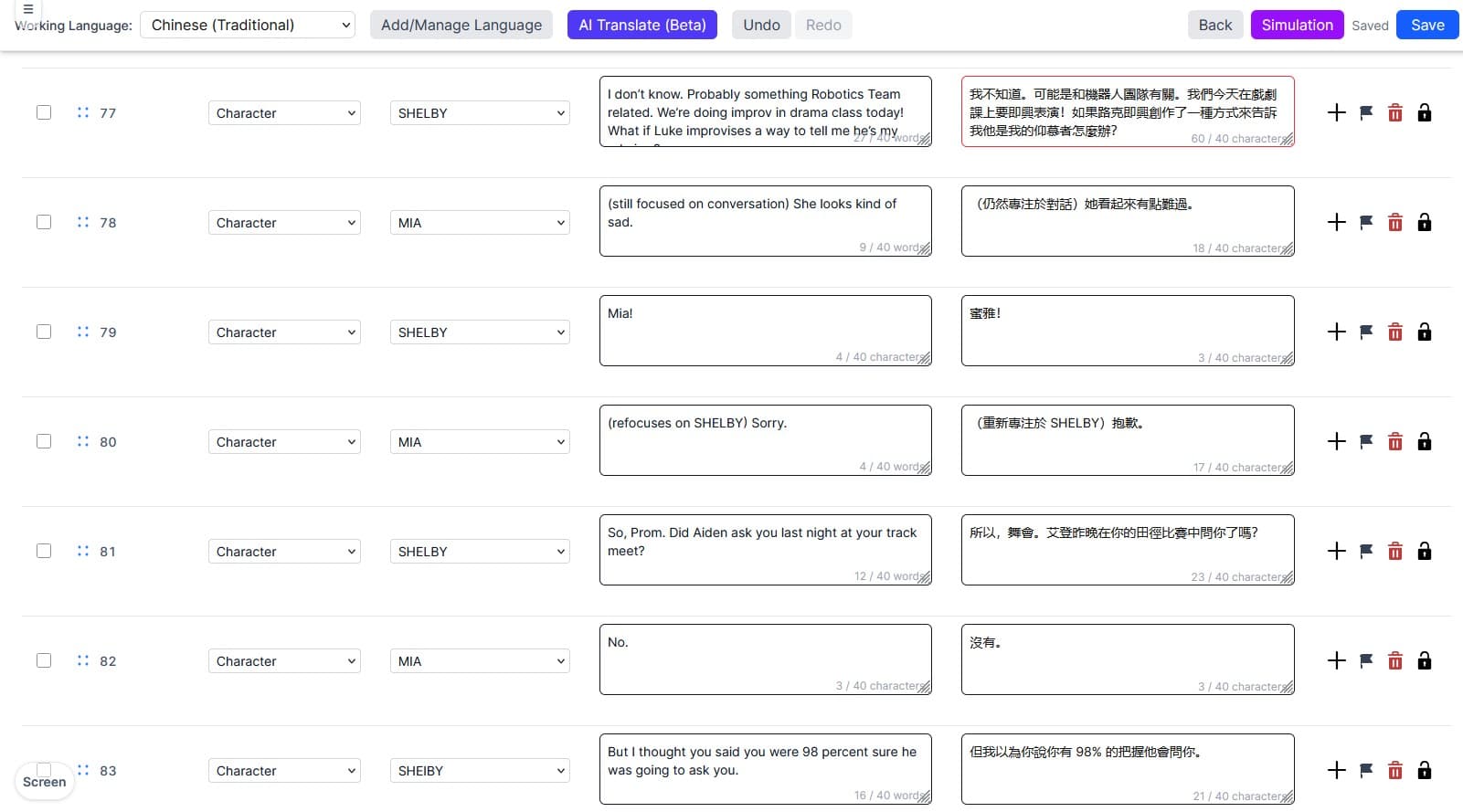
Script Ingestion: Automated Formatting for Surtitles
Reduce manual cleanup after a Word-script upload. SurtitleLive helps separate speakers, dialogue, and stage directions so your team can review cue-ready text before translation or rehearsal.
- Automatic character detection
- Smart line breaking for readability
- Drag-and-drop structural editing
- Revise cues after script changes
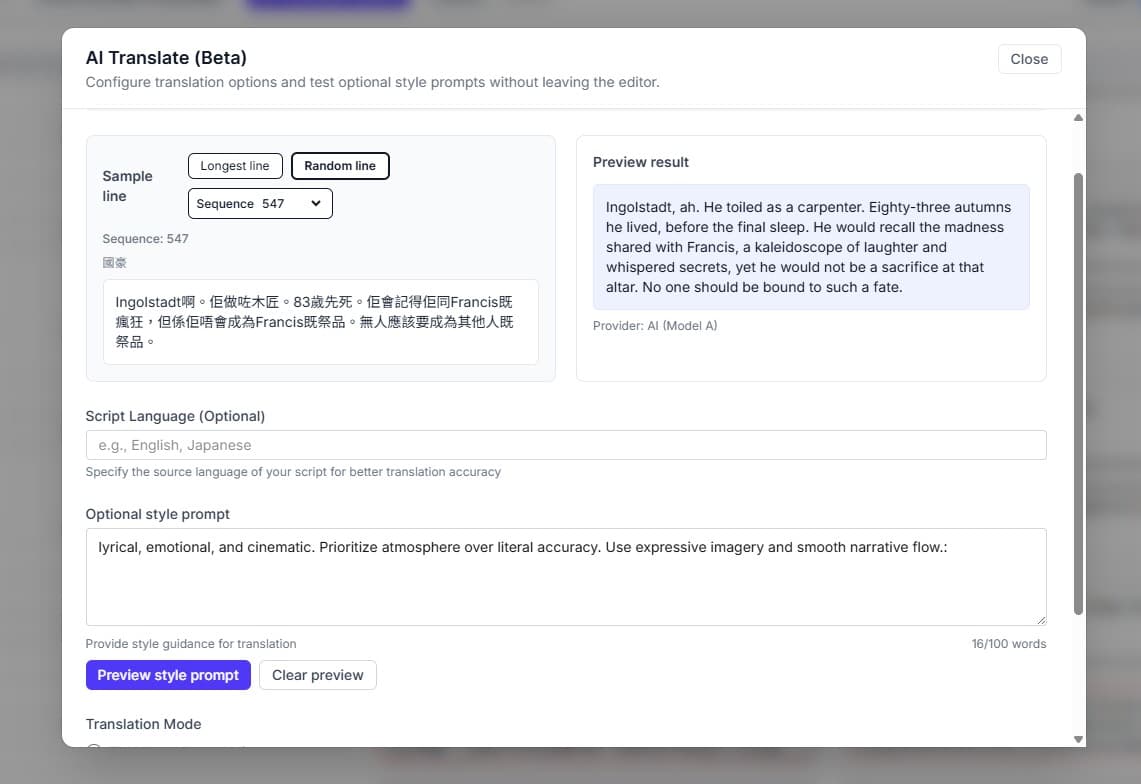
AI-Assisted Translation for Opera and Theatre Captions
AI helps create a first draft for preparation. Your team still reviews wording, tone, line breaks, and timing before performance.
- 100+ supported translation languages
- Optional style prompt for translation drafts
- Line-by-line review of tone and context
- Re-translate drafts when scripts change
Live Performance Control
The Operator Cockpit is your control booth during the show. It is designed for dark backstage environments, with high-contrast displays and keyboard-first navigation.
Create an account to try the full CockpitKeyboard First
Cue navigation and blackout controls support live operation without relying only on a mouse.
Direct Jump
Actors skipped a chunk? Jump directly to another line by ID or search text.
Low Latency
Designed for low-latency cue updates from the Operator Cockpit to projection and audience viewers.
Projection + Mobile Surtitles
Use Projection Mode for LED screens or projectors while audience members follow enabled languages on their phones. If ASM and the Projection Window are already open, prepared local projection can keep running during venue internet loss. Audience phones still depend on cloud delivery.
Built for Live Performance Workflows
One workspace covers script preparation, translations, live deployment, and audience access for a single show, festival, or season.
Granular Collaboration
Invite translators, directors, and operators. Control workflow with precise 'Edit', 'Review', and 'Read-only' permissions.
Seamless Audience Access
Simple entry. Audience members scan a QR code. Keep deployments live for 7 to 14 days.
Global Low-Latency
Lite deployments use system-selected US Central placement. Pro deployments can choose US Central, EU West, or Asia Northeast.
Multi-Language Deployment
Deploy your source script plus plan-limited translated languages so each audience member can choose an enabled viewer language.
Multi-Project Workspace
Validate workflows with a single project or manage multiple active productions from one workspace.
High-Volume AI Processing
Use weekly AI credits for script analysis, translation drafts, and review workflows.
Core live subtitle workflows
Projection/mobile delivery and the Operator Cockpit are the two workflows most teams should understand first.
Core live subtitle workflows
Projection/mobile delivery and the Operator Cockpit are the two workflows most teams should understand first.
- Projection + mobile surtitles
Run room-visible projection and audience-phone subtitles from one cue workflow, with different delivery paths for each output.
- Operator Cockpit for live surtitles
Cue control, jump recovery, blackout, and one live cue path for projection plus mobile delivery.
Built for
- Scripted theatre, opera, festivals, and touring productions.
- Teams planning projection, audience phones, or both.
- Shows with a rehearsed operator and backup path.
Less ideal for
- Unscripted talks that need real-time speech-to-text.
- Venue-wide audio description, smart-glasses, or managed-service programs.
- Shows that cannot rehearse or prepare a backup path.
Common Questions about SurtitleLive
Common questions about how SurtitleLive works for live performances.
How does SurtitleLive work with PowerPoint or slide-based surtitles?
PowerPoint can work for simple slide-based surtitles. SurtitleLive adds live cue controls, jump recovery, blackout, and one cue path for projection plus audience phones.
Do audience members need to download an app?
No. SurtitleLive is a direct-to-mobile surtitling system. Audience members simply scan a QR code to view subtitles in their preferred language directly in their mobile browser. No app store downloads required.
Is this suitable for Opera surtitling?
Yes. The manual cueing system gives operators precise control to match surtitles to the music tempo, supporting close synchronization for musical productions.
Can I use Projection Mode with LED screens and projectors?
Yes. Projection Mode is the room-visible output path for LED screens and projectors: open the Projection Window on the display computer and cue it from the same live controls. Mobile surtitles are separate and remain cloud-delivered.